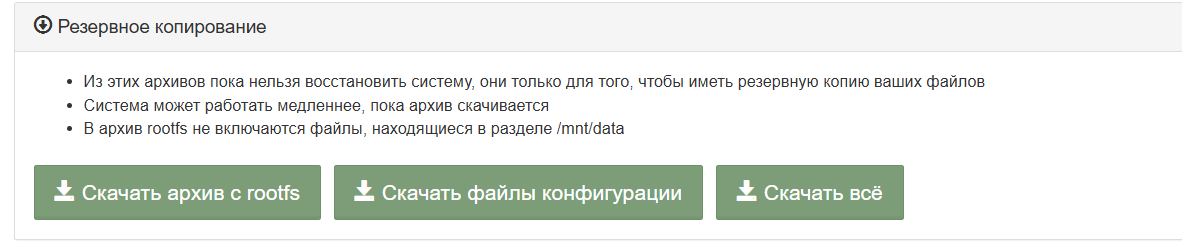
Попытался обновить прошивку через web-интерфейс на testing, чтобы подключить Алису.
После обновления контроллер выдал это
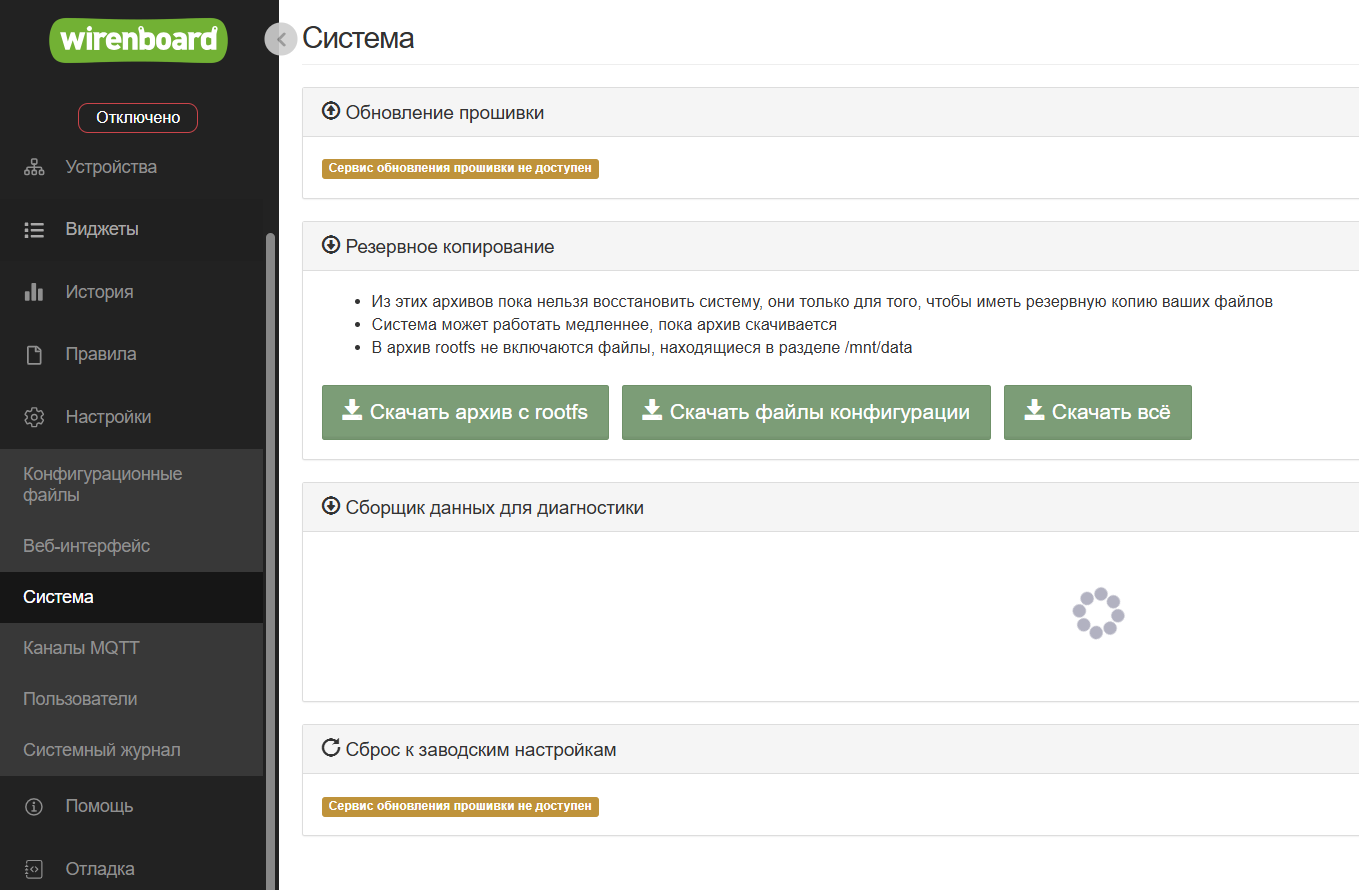
Попытался сбросить прошивку на заводские настройки через флэшку и Дебагкосоль.
Результат следующий с разными релизами, пробывал актуальный и 2407:
```
U-Boot SPL 2021.10-wb1.7.2-gbf311aa30b (Sep 23 2023 - 11:10:21 +0000)
DRAM init ok, rows:15, ncs:1, size: 512MB
.p0_mpdgctrl0 = 0x010c0109
.p0_mpdgctrl1 = 0x0e3f0e3f
.p0_mprddlctl = 0x3f3f393d
.p0_mpwrdlctl = 0x3f3f3734
.p0_mpwldectrl0 = 0x0005000b
.p0_mpwldectrl1 = 0x000c000c
Trying to boot from MMC1
Warning - USDHC2 controller not supporting
U-Boot 2021.10-wb1.7.2-gbf311aa30b (Sep 23 2023 - 11:10:21 +0000)
CPU: Freescale i.MX6ULL rev1.1 792 MHz (running at 396 MHz)
CPU: Industrial temperature grade (-40C to 105C) at 44C
Reset cause: POR
Model: Wiren Board rev. 6.1 (i.MX6UL)
Board: Wiren Board MX6UL
DRAM: 512 MiB
MMC: FSL_SDHC: 1
In: serial
Out: serial
Err: serial
Loading Environment from MMC… OK
Will only keep env vars: mmcpart bootcount upgrade_available uenvcmd wb_webupd otp_program otp_aes_program
Info: input data size = 43 = 0x2B
bootcount=0
mmcpart=3
upgrade_available=0
Environment size: 43/8188 bytes
Resetting to default environment
Info: input data size = 43 = 0x2B
Net: Could not get PHY for FEC0: addr 0
No ethernet found.
Hit any key to stop autoboot: 0
Info: input data size = 4285 = 0x10BD
switch to partitions #0, OK
mmc1(part 0) is current device
eMMC found on device 1
Press FW button to enter firmware update mode
..
Entering firmware update mode.
Checking if ubootenv part is present
Loading FIT header to 0x82000000 …
** File not found .wb-restore/factoryreset.fit **
Read failed: -1Extracting kernel
Loading FIT header to 0x82000000 …
** File not found .wb-restore/factoryreset.fit **
Read failed: -1Extracting DTB
Loading FIT header to 0x83000000 …
** File not found .wb-restore/factoryreset.fit **
Read failed: -1zimage: Bad magic!
ERROR: Failed to enter update mode!
ERROR: /mnt/data/.wb-restore/factoryreset.fit missing or corrupt
Checking if there is a USB storage with update file wb6_update.fit
dev: usb1_vbus @ regulator@0
starting USB…
Bus usb@2184000: USB EHCI 1.00
Bus usb@2184200: USB EHCI 1.00
scanning bus usb@2184000 for devices… 2 USB Device(s) found
scanning bus usb@2184200 for devices… EHCI timed out on TD - token=0x80008d80
USB device not accepting new address (error=22)
1 USB Device(s) found
scanning usb for storage devices… 1 Storage Device(s) found
Device 0: Vendor: JetFlash Rev: 1100 Prod: Transcend 8GB
Type: Removable Hard Disk
Capacity: 7728.0 MB = 7.5 GB (15826944 x 512)
Failed to load ‘wb6_update.fit’
1 bytes read in 3 ms (0 Bytes/s)
##############################
Detected USB Flash drive with update file
Filename: wb6_update_FACTORYRESET.fit
Press a FW key if you want to update firmware from this file
or wait 3 seconds to boot normally.
##############################
…
USB update procedure start
Checking if ubootenv part is present
Loading FIT header to 0x82000000 …
Loading FIT strings to 0x82000028 …
Loading FIT struct to 0x82000100 …
Can’t find subimage ‘ubootenv’
Extracting kernel
Loading FIT header to 0x82000000 …
Loading FIT strings to 0x82000028 …
Loading FIT struct to 0x82000100 …
11333688 bytes read in 441 ms (24.5 MiB/s)
Description: Update kernel
Type: Kernel Image
Compression: uncompressed
Data Start: 0x82000300
Data Size: 11324728 Bytes = 10.8 MiB
Architecture: ARM
OS: Linux
Load Address: unavailable
Entry Point: unavailable
Hash algo: sha1
Hash value: 4581affae9501433b309790bd8c41cc21ab5e880
Verifying … sha1+
Loading part 0 … OK
Extracting DTB
Loading FIT header to 0x83000000 …
Loading FIT strings to 0x83000028 …
Loading FIT struct to 0x83000100 …
57107 bytes read in 93 ms (599.6 KiB/s)
Description: Update DTB
Type: Flat Device Tree
Compression: uncompressed
Data Start: 0x83000400
Data Size: 47891 Bytes = 46.8 KiB
Architecture: ARM
Hash algo: sha1
Hash value: 50379d0c7fb9a54564de1311fee0fb398cef285a
Verifying … sha1+
Loading part 0 … OK
Kernel image @ 0x82000000 [ 0x000000 - 0xaccd38 ]
Flattened Device Tree blob at 83000000
Booting using the fdt blob at 0x83000000
Loading Device Tree to 9ef8b000, end 9ef99b12 … OK
Starting kernel …
[ 0.000000] Booting Linux on physical CPU 0x0
[ 0.000000] Linux version 5.10.35-wb169 (root@wbdevenv) (arm-linux-gnueabihf-gcc (Debian 10.2.1-6) 10.2.1 20210110, GNU ld (GNU Binutils for Debian) 2.35.2) #2 SMP Wed Aug 7 14:43:03 UTC 2024
[ 0.000000] CPU: ARMv7 Processor [410fc075] revision 5 (ARMv7), cr=10c5387d
[ 0.000000] CPU: div instructions available: patching division code
[ 0.000000] CPU: PIPT / VIPT nonaliasing data cache, VIPT aliasing instruction cache
[ 0.000000] OF: fdt: Machine model: Wiren Board init (i.MX6UL/ULL)
[ 0.000000] Memory policy: Data cache writealloc
[ 0.000000] Zone ranges:
[ 0.000000] Normal [mem 0x0000000080000000-0x000000009fffffff]
[ 0.000000] Movable zone start for each node
[ 0.000000] Early memory node ranges
[ 0.000000] node 0: [mem 0x0000000080000000-0x000000009fffffff]
[ 0.000000] Initmem setup node 0 [mem 0x0000000080000000-0x000000009fffffff]
[ 0.000000] percpu: Embedded 15 pages/cpu s31692 r8192 d21556 u61440
[ 0.000000] Built 1 zonelists, mobility grouping on. Total pages: 130048
[ 0.000000] Kernel command line: console=ttymxc0,115200 bootmode=update_auto bootmode=usbupdate,wb6_update_FACTORYRESET.fit
[ 0.000000] Dentry cache hash table entries: 65536 (order: 6, 262144 bytes, linear)
[ 0.000000] Inode-cache hash table entries: 32768 (order: 5, 131072 bytes, linear)
[ 0.000000] mem auto-init: stack:off, heap alloc:off, heap free:off
[ 0.000000] Memory: 503300K/524288K available (6144K kernel code, 645K rwdata, 1892K rodata, 7168K init, 250K bss, 20988K reserved, 0K cma-reserved)
[ 0.000000] SLUB: HWalign=64, Order=0-3, MinObjects=0, CPUs=1, Nodes=1
[ 0.000000] rcu: Hierarchical RCU implementation.
[ 0.000000] rcu: RCU event tracing is enabled.
[ 0.000000] rcu: RCU restricting CPUs from NR_CPUS=4 to nr_cpu_ids=1.
[ 0.000000] rcu: RCU calculated value of scheduler-enlistment delay is 10 jiffies.
[ 0.000000] rcu: Adjusting geometry for rcu_fanout_leaf=16, nr_cpu_ids=1
[ 0.000000] NR_IRQS: 16, nr_irqs: 16, preallocated irqs: 16
[ 0.000000] random: get_random_bytes called from start_kernel+0x2b0/0x4bc with crng_init=0
[ 0.000000] Switching to timer-based delay loop, resolution 41ns
[ 0.000017] sched_clock: 32 bits at 24MHz, resolution 41ns, wraps every 89478484971ns
[ 0.000061] clocksource: mxc_timer1: mask: 0xffffffff max_cycles: 0xffffffff, max_idle_ns: 79635851949 ns
[ 0.002849] Console: colour dummy device 80x30
[ 0.002928] Calibrating delay loop (skipped), value calculated using timer frequency.. 48.00 BogoMIPS (lpj=240000)
[ 0.002977] pid_max: default: 32768 minimum: 301
[ 0.003277] Mount-cache hash table entries: 1024 (order: 0, 4096 bytes, linear)
[ 0.003317] Mountpoint-cache hash table entries: 1024 (order: 0, 4096 bytes, linear)
[ 0.004601] CPU: Testing write buffer coherency: ok
[ 0.005080] CPU0: update cpu_capacity 1024
[ 0.005116] CPU0: thread -1, cpu 0, socket 0, mpidr 80000000
[ 0.006320] Setting up static identity map for 0x80100000 - 0x80100078
[ 0.006627] rcu: Hierarchical SRCU implementation.
[ 0.007287] smp: Bringing up secondary CPUs …
[ 0.007326] smp: Brought up 1 node, 1 CPU
[ 0.007353] SMP: Total of 1 processors activated (48.00 BogoMIPS).
[ 0.007372] CPU: All CPU(s) started in SVC mode.
[ 0.008284] devtmpfs: initialized
[ 0.028910] VFP support v0.3: implementor 41 architecture 2 part 30 variant 7 rev 5
[ 0.029451] clocksource: jiffies: mask: 0xffffffff max_cycles: 0xffffffff, max_idle_ns: 19112604462750000 ns
[ 0.029503] futex hash table entries: 256 (order: 2, 16384 bytes, linear)
[ 0.029703] pinctrl core: initialized pinctrl subsystem
[ 0.031816] NET: Registered protocol family 16
[ 0.032441] DMA: preallocated 256 KiB pool for atomic coherent allocations
[ 0.034932] thermal_sys: Registered thermal governor ‘step_wise’
[ 0.035218] cpuidle: using governor menu
[ 0.219697] vdd1p1: supplied by regulator-dummy
[ 0.232253] vdd3p0: supplied by regulator-dummy
[ 0.244796] cpu: supplied by regulator-dummy
[ 0.257391] vddsoc: supplied by regulator-dummy
[ 0.630643] hw-breakpoint: found 5 (+1 reserved) breakpoint and 4 watchpoint registers.
[ 0.630685] hw-breakpoint: maximum watchpoint size is 8 bytes.
[ 0.631310] debugfs: Directory ‘dummy-iomuxc-gpr@20e4000’ with parent ‘regmap’ already present!
[ 0.632089] imx6ul-pinctrl 20e0000.pinctrl: initialized IMX pinctrl driver
[ 0.633625] imx6ul-pinctrl 2290000.iomuxc-snvs: no groups defined in /soc/bus@2200000/iomuxc-snvs@2290000
[ 0.633668] imx6ul-pinctrl 2290000.iomuxc-snvs: initialized IMX pinctrl driver
[ 0.680660] mxs-dma 1804000.dma-apbh: initialized
[ 0.686325] SCSI subsystem initialized
[ 0.686883] usbcore: registered new interface driver usbfs
[ 0.687017] usbcore: registered new interface driver hub
[ 0.687142] usbcore: registered new device driver usb
[ 0.688002] gpio-48 (i2c_rtc): enforced open drain please flag it properly in DT/ACPI DSDT/board file
[ 0.688133] gpio-49 (i2c_rtc): enforced open drain please flag it properly in DT/ACPI DSDT/board file
[ 0.689063] i2c-gpio i2c_rtc: using lines 48 (SDA) and 49 (SCL)
[ 0.689754] gpio-76 (i2c_eeprom1): enforced open drain please flag it properly in DT/ACPI DSDT/board file
[ 0.689885] gpio-67 (i2c_eeprom1): enforced open drain please flag it properly in DT/ACPI DSDT/board file
[ 0.690479] i2c-gpio i2c_eeprom1: using lines 76 (SDA) and 67 (SCL)
[ 0.691119] gpio-70 (i2c_eeprom2): enforced open drain please flag it properly in DT/ACPI DSDT/board file
[ 0.691244] gpio-71 (i2c_eeprom2): enforced open drain please flag it properly in DT/ACPI DSDT/board file
[ 0.691855] i2c-gpio i2c_eeprom2: using lines 70 (SDA) and 71 (SCL)
[ 0.693512] gpio-30 (scl): enforced open drain please flag it properly in DT/ACPI DSDT/board file
[ 0.693910] i2c i2c-1: IMX I2C adapter registered
[ 0.694745] pps_core: LinuxPPS API ver. 1 registered
[ 0.694776] pps_core: Software ver. 5.3.6 - Copyright 2005-2007 Rodolfo Giometti giometti@linux.it
[ 0.694839] PTP clock support registered
[ 0.697302] clocksource: Switched to clocksource mxc_timer1
[ 0.717801] NET: Registered protocol family 2
[ 0.719388] tcp_listen_portaddr_hash hash table entries: 512 (order: 0, 6144 bytes, linear)
[ 0.719473] TCP established hash table entries: 4096 (order: 2, 16384 bytes, linear)
[ 0.719586] TCP bind hash table entries: 4096 (order: 3, 32768 bytes, linear)
[ 0.719747] TCP: Hash tables configured (established 4096 bind 4096)
[ 0.719947] UDP hash table entries: 256 (order: 1, 8192 bytes, linear)
[ 0.720019] UDP-Lite hash table entries: 256 (order: 1, 8192 bytes, linear)
[ 0.720370] NET: Registered protocol family 1
[ 0.721566] RPC: Registered named UNIX socket transport module.
[ 0.721605] RPC: Registered udp transport module.
[ 0.721626] RPC: Registered tcp transport module.
[ 0.721645] RPC: Registered tcp NFSv4.1 backchannel transport module.
[ 1.644957] hw perfevents: enabled with armv7_cortex_a7 PMU driver, 5 counters available
[ 1.648970] workingset: timestamp_bits=30 max_order=17 bucket_order=0
[ 1.660152] squashfs: version 4.0 (2009/01/31) Phillip Lougher
[ 1.661923] ntfs: driver 2.1.32 [Flags: R/W].
[ 1.901915] Block layer SCSI generic (bsg) driver version 0.4 loaded (major 249)
[ 1.901955] io scheduler mq-deadline registered
[ 1.901976] io scheduler kyber registered
[ 1.914515] imx-sdma 20ec000.sdma: Direct firmware load for imx/sdma/sdma-imx6q.bin failed with error -2
[ 1.914572] imx-sdma 20ec000.sdma: external firmware not found, using ROM firmware
[ 1.919173] 2020000.serial: ttymxc0 at MMIO 0x2020000 (irq = 28, base_baud = 5000000) is a IMX
[ 2.570739] random: fast init done
[ 2.615927] printk: console [ttymxc0] enabled
[ 2.622599] 21e8000.serial: ttymxc1 at MMIO 0x21e8000 (irq = 66, base_baud = 5000000) is a IMX
[ 2.633306] 21fc000.serial: ttymxc5 at MMIO 0x21fc000 (irq = 67, base_baud = 5000000) is a IMX
[ 2.676670] imx_rngc 2284000.rng: Freescale RNGB registered (HW revision 2.129)
[ 2.684715] random: crng init done
[ 2.716054] brd: module loaded
[ 2.737218] loop: module loaded
[ 2.740886] at24 5-0050: supply vcc not found, using dummy regulator
[ 2.752478] at24 5-0050: 256 byte 24c02 EEPROM, writable, 1 bytes/write
[ 2.759544] at24 6-0050: supply vcc not found, using dummy regulator
[ 2.771125] at24 6-0050: 256 byte 24c02 EEPROM, writable, 1 bytes/write
[ 2.779595] libphy: Fixed MDIO Bus: probed
[ 2.786863] pps pps0: new PPS source ptp0
[ 2.829543] libphy: fec_enet_mii_bus: probed
[ 2.834978] fec 20b4000.ethernet eth0: registered PHC device 0
[ 2.958120] pps pps1: new PPS source ptp1
[ 2.964656] libphy: fec_enet_mii_bus: probed
[ 2.970941] mdio_bus 2188000.ethernet-2: MDIO device at address 3 is missing.
[ 2.979431] fec 2188000.ethernet eth1: registered PHC device 1
[ 2.986277] ehci_hcd: USB 2.0 ‘Enhanced’ Host Controller (EHCI) Driver
[ 2.992973] ehci-mxc: Freescale On-Chip EHCI Host driver
[ 2.998818] usbcore: registered new interface driver cdc_acm
[ 3.004504] cdc_acm: USB Abstract Control Model driver for USB modems and ISDN adapters
[ 3.012853] usbcore: registered new interface driver usb-storage
[ 3.074502] rtc-pcf8563 4-0051: registered as rtc0
[ 3.091503] rtc-pcf8563 4-0051: setting system clock to 2025-12-23T18:12:24 UTC (1766513544)
[ 3.110355] snvs_rtc 20cc000.snvs:snvs-rtc-lp: registered as rtc1
[ 3.116851] i2c /dev entries driver
[ 3.126950] imx6ul-pinctrl 20e0000.pinctrl: pin MX6UL_PAD_SD1_DATA1 already requested by watchdog; cannot claim for watchdog_6x
[ 3.138622] imx6ul-pinctrl 20e0000.pinctrl: pin-114 (watchdog_6x) status -22
[ 3.145707] imx6ul-pinctrl 20e0000.pinctrl: could not request pin 114 (MX6UL_PAD_SD1_DATA1) from group wdggrp_6x on device 20e0000.pinctrl
[ 3.158304] gpio-wdt watchdog_6x: Error applying setting, reverse things back
[ 3.165586] gpio-wdt: probe of watchdog_6x failed with error -22
[ 3.173866] sdhci: Secure Digital Host Controller Interface driver
[ 3.180213] sdhci: Copyright(c) Pierre Ossman
[ 3.184589] sdhci-pltfm: SDHCI platform and OF driver helper
[ 3.199999] ledtrig-cpu: registered to indicate activity on CPUs
[ 3.208266] usbcore: registered new interface driver usbhid
[ 3.213872] usbhid: USB HID core driver
[ 3.220964] NET: Registered protocol family 17
[ 3.229339] Registering SWP/SWPB emulation handler
[ 3.234319] mmc0: SDHCI controller on 2194000.mmc [2194000.mmc] using ADMA
[ 3.242951] registered taskstats version 1
[ 3.272614] imx_thermal 20c8000.anatop:tempmon: Industrial CPU temperature grade - max:105C critical:100C passive:95C
[ 3.284445] of_cfs_init
[ 3.287020] of_cfs_init: OK
[ 3.306310] Freeing unused kernel memory: 7168K
[ 3.311250] Run /init as init process
mount: mounting none on /sys/kernel/debug failed: No such file or directory
mount: mounting none on /dev/pts failed: No such file or directory
[ 3.374934] mmc0: new DDR MMC card at address 0001
[ 3.387902] mmcblk0: mmc0:0001 008GB0 7.28 GiB
[ 3.392867] mmcblk0boot0: mmc0:0001 008GB0 partition 1 8.00 MiB
[ 3.407918] mmcblk0boot1: mmc0:0001 008GB0 partition 2 8.00 MiB
[ 3.427576] mmcblk0rpmb: mmc0:0001 008GB0 partition 3 4.00 MiB, chardev (248:0)
[ 3.440364] mmcblk0: p1 p2 p3 p4 < p5 p6 >
Run busybox watchdog for /dev/watchdog
Run busybox watchdog for /dev/watchdog0
Run busybox watchdog for /dev/watchdog1
Run busybox watchdog for /dev/watchdog2
Boot mode: usbupdate,wb6_update_FACTORYRESET.fit
Board is WB6, loading ci_hdrc_imx module
[ 3.693477] imx_usb 2184000.usb: No over current polarity defined
[ 3.703532] ci_hdrc ci_hdrc.0: EHCI Host Controller
[ 3.708541] ci_hdrc ci_hdrc.0: new USB bus registered, assigned bus number 1
[ 3.737354] ci_hdrc ci_hdrc.0: USB 2.0 started, EHCI 1.00
[ 3.743127] usb usb1: New USB device found, idVendor=1d6b, idProduct=0002, bcdDevice= 5.10
[ 3.751501] usb usb1: New USB device strings: Mfr=3, Product=2, SerialNumber=1
[ 3.758779] usb usb1: Product: EHCI Host Controller
[ 3.763675] usb usb1: Manufacturer: Linux 5.10.35-wb169 ehci_hcd
[ 3.769729] usb usb1: SerialNumber: ci_hdrc.0
[ 3.776029] hub 1-0:1.0: USB hub found
[ 3.780089] hub 1-0:1.0: 1 port detected
[ 3.789532] ci_hdrc ci_hdrc.1: EHCI Host Controller
[ 3.794485] ci_hdrc ci_hdrc.1: new USB bus registered, assigned bus number 2
[ 3.827653] ci_hdrc ci_hdrc.1: USB 2.0 started, EHCI 1.00
[ 3.834029] usb usb2: New USB device found, idVendor=1d6b, idProduct=0002, bcdDevice= 5.10
[ 3.842512] usb usb2: New USB device strings: Mfr=3, Product=2, SerialNumber=1
[ 3.849914] usb usb2: Product: EHCI Host Controller
[ 3.854844] usb usb2: Manufacturer: Linux 5.10.35-wb169 ehci_hcd
[ 3.860990] usb usb2: SerialNumber: ci_hdrc.1
[ 3.868039] hub 2-0:1.0: USB hub found
[ 3.871923] hub 2-0:1.0: 1 port detected
[ 4.237558] usb 2-1: new high-speed USB device number 2 using ci_hdrc
[ 4.244305] usb usb1-port1: over-current condition
[ 4.397470] usb 1-1: new high-speed USB device number 2 using ci_hdrc
[ 4.448516] usb 2-1: New USB device found, idVendor=0424, idProduct=2514, bcdDevice= b.b3
[ 4.456830] usb 2-1: New USB device strings: Mfr=0, Product=0, SerialNumber=0
[ 4.466960] hub 2-1:1.0: USB hub found
[ 4.471669] hub 2-1:1.0: 4 ports detected
[ 4.600265] usb 1-1: New USB device found, idVendor=8564, idProduct=1000, bcdDevice=11.00
[ 4.608731] usb 1-1: New USB device strings: Mfr=1, Product=2, SerialNumber=3
[ 4.616047] usb 1-1: Product: Mass Storage Device
[ 4.620895] usb 1-1: Manufacturer: JetFlash
[ 4.625156] usb 1-1: SerialNumber: 84JI548HCLWYIR84
[ 4.633594] usb-storage 1-1:1.0: USB Mass Storage device detected
[ 4.641661] scsi host0: usb-storage 1-1:1.0
[ 4.797443] usb 2-1.1: new high-speed USB device number 3 using ci_hdrc
[ 4.949123] usb 2-1.1: New USB device found, idVendor=0bda, idProduct=b720, bcdDevice= 2.00
[ 4.957633] usb 2-1.1: New USB device strings: Mfr=1, Product=2, SerialNumber=3
[ 4.964990] usb 2-1.1: Product: 802.11n WLAN Adapter
[ 4.970000] usb 2-1.1: Manufacturer: Realtek
[ 4.974280] usb 2-1.1: SerialNumber: 00e04c000001
Load modules for USB to work
[ 5.881399] scsi 0:0:0:0: Direct-Access JetFlash Transcend 8GB 1100 PQ: 0 ANSI: 4
[ 5.893529] sd 0:0:0:0: [sda] 15826944 512-byte logical blocks: (8.10 GB/7.55 GiB)
[ 5.904748] sd 0:0:0:0: [sda] Write Protect is off
[ 5.910568] sd 0:0:0:0: [sda] No Caching mode page found
[ 5.915909] sd 0:0:0:0: [sda] Assuming drive cache: write through
[ 5.925120] sda: sda1
[ 5.931308] sd 0:0:0:0: [sda] Attached SCSI removable disk
Looking for update .fit on /dev/sda…
Looking for update .fit on /dev/sda1…
[ 6.124485] FAT-fs (sda1): Volume was not properly unmounted. Some data may be corrupt. Please run fsck.
Will use wb6_update_FACTORYRESET.fit from USB Flash Drive
##############################################################################
                      FACTORY RESET REQUESTED

       This WILL destroy ALL YOUR DATA: configuration, scripts,
                       files in home directory!

     If you are ABSOLUTELY SURE that you want to reset Wiren Board
         to factory condition, hold the FW button for 4 seconds.

    If you will not do it in 10 seconds, the controller will reboot
                    without firmware update.


       If you want to perform a regular firmware update, rename
     FIT file to "wbX_update.fit" without "factory-reset" suffix.
##############################################################################
…
Factory reset is confirmed!
===============================================================================
Tue Dec 23 18:12:35 UTC 2025: started update from /disk/wb6_update_FACTORYRESET.fit
Description: WirenBoard firmware update
Compatible device: contactless,imx6ul-wirenboard61
Firmware version: 202411060854
Firmware compatible: +single-rootfs +fit-factory-reset +force-repartition +repartition-ramsize-fix +update-from-cloud
Release name: wb-2407
Release suite: stable
Release target: wb6/bullseye
Release repo prefix:
Time of creation: Wed Nov 6 08:56:37 UTC 2024
Checking SHA1 hash of install
PROGRESS: 0%
SHA1 hash of install ok
Requested factory reset will be performed by firmware itself
32+0 records in
32+0 records out
16384 bytes (16 kB, 16 KiB) copied, 0.0118135 s, 1.4 MB/s
Firmware seems to be compatible with this controller
Extracting install script
Running install script
Console logging enabled; tempfile /tmp/tmp.aBklvk, final file /disk/wb-console.log will be written on exit
Extend tmpfs size to whole RAM
Remount tmpfs in /tmp with size=498M
Maybe update factoryreset.fit to fix tmpfs size issue at 512M RAM (with emmc update)
[ 24.263649] EXT4-fs (mmcblk0p6): recovery complete
[ 24.268698] EXT4-fs (mmcblk0p6): mounted filesystem with ordered data mode. Opts: (null)
fit_info: Can’t open /tmp/tmp.Z5N3Kd/.wb-restore/factoryreset.fit: No such file or directory
Replace factoryreset.fit with current fit to fix rootfs extending issue at 512M RAM
cp: can’t create ‘/tmp/tmp.Z5N3Kd/.wb-restore/factoryreset.fit’: No such file or directory
BusyBox v1.30.1 (Debian 1:1.30.1-6+b3) built-in shell (ash)
Enter ‘help’ for a list of built-in commands.
sh: can’t access tty; job control turned off
~ # [ 33.767476] vref-3v3: disabling
```
Что можно сделать?