Описание проблемы:
Пытаюсь подключиться к Wirenboard‑8.5 через WB Cloud по SSH с macOS‑терминала по ключу, но получаю Permission denied (publickey) , хотя:
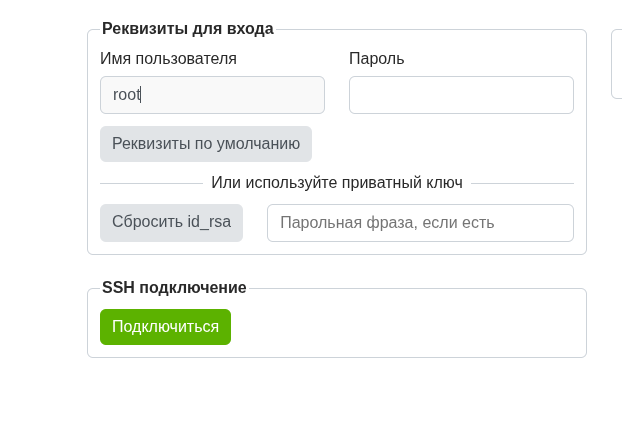
• та же пара ключей успешно работает для входа в веб‑консоль WB Cloud (в разделе «Реквизиты для входа» указываю приватный ключ, и веб‑консоль заходит без проблем);
• прямой SSH‑доступ с Mac выполняю командой:
ssh -i ~/.ssh/id_wirenboard root@xxx.ssh.wirenboard.cloud -p 22
и получаю:
root@xxx.ssh.wirenboard.cloud: Permission denied (publickey).
Что уже сделано на контроллере (через веб‑консоль Wirenboard Cloud):
- На Mac был сгенерирован ключ
- и его полная строка (включая ssh-ed25519 … и комментарий) было добавлено в ~/.ssh/authorized_keys на контроллере:
echo “ssh-ed25519 AAAA… @MacBook” > ~/.ssh/authorized_keys
chmod 600 ~/.ssh/authorized_keys
chmod 700 ~/.ssh
grep “PubKeyAuthentication” /etc/ssh/sshd_config
показывает:
PubKeyAuthentication yes
#AuthorizedKeysFile %h/.ssh/authorized_keys
что означает, что ключи должны браться из ~/.ssh/authorized_keys .
4. SSH‑демон перезапускался:
/etc/init.d/ssh restart
В WB Cloud в разделе «Реквизиты для входа» задан тот же приватный ключ, что и ~/.ssh/id_wirenboard на Mac.
Результаты диагностики с Mac:
Выполняю:
ssh -i ~/.ssh/id_wirenboard -v root@xxx.ssh.wirenboard.cloud -p 22
В логе видно:
клиент правильно загружает ключ:
identity file /Users/mike/.ssh/id_wirenboard type 2
Will attempt key: /Users/mike/.ssh/id_wirenboard …
Offering public key: /Users/mike/.ssh/id_wirenboard …
сервер сообщает:
Authentications that can continue: publickey
и в итоге:
No more authentication methods to try.
root@xxx.ssh.wirenboard.cloud: Permission denied (publickey).
Мой вопрос:
• Веб‑консоль WB Cloud с тем же приватным ключом успешно подключается, а SSH‑доступ с macOS‑терминала — нет, хотя на контроллере лежит соответствующий публичный ключ в ~/.ssh/authorized_keys и права/настройки sshd_config корректны.
• Есть ли известная особенность WB Cloud‑туннеля, когда он приём веб‑консоли по ключу разрешает, а доступ из терминала Mac по тому же ключу блокирует?
• Что нужно дополнительно проверить или изменить в конфигурации WB‑контроллера / WB Cloud‑агента, чтобы SSH‑доступ с Mac работал в том же режиме, что и веб‑консоль?
Добрый день.
Пробую.
Для начала через WEB.
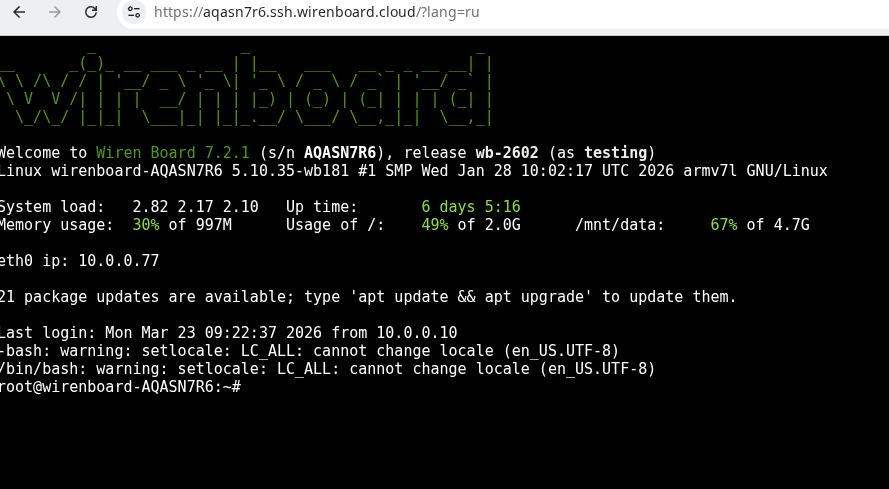
Конечно удачно:
Из консоли:
ssh root@10.0.0.77 -v
debug1: OpenSSH_10.0p2 Debian-7+deb13u1, OpenSSL 3.5.5 27 Jan 2026
debug1: Reading configuration data /home/sysadmin/.ssh/config
debug1: Reading configuration data /etc/ssh/ssh_config
debug1: Reading configuration data /etc/ssh/ssh_config.d/20-systemd-ssh-proxy.conf
debug1: /etc/ssh/ssh_config line 21: Applying options for *
debug1: Connecting to 10.0.0.77 [10.0.0.77] port 22.
debug1: Connection established.
debug1: identity file /home/sysadmin/.ssh/id_rsa type 0
<cut>

debug1: Local version string SSH-2.0-OpenSSH_10.0p2 Debian-7+deb13u1
debug1: Remote protocol version 2.0, remote software version OpenSSH_8.4p1 Debian-5+deb11u5
debug1: compat_banner: match: OpenSSH_8.4p1 Debian-5+deb11u5 pat OpenSSH* compat 0x04000000
debug1: Authenticating to 10.0.0.77:22 as 'root'
debug1: load_hostkeys: fopen /home/sysadmin/.ssh/known_hosts2: No such file or directory
debug1: load_hostkeys: fopen /etc/ssh/ssh_known_hosts: No such file or directory
debug1: load_hostkeys: fopen /etc/ssh/ssh_known_hosts2: No such file or directory
debug1: SSH2_MSG_KEXINIT sent
debug1: SSH2_MSG_KEXINIT received
debug1: kex: algorithm: curve25519-sha256
debug1: kex: host key algorithm: ssh-ed25519
debug1: kex: server->client cipher: chacha20-poly1305@openssh.com MAC: <implicit> compression: none
debug1: kex: client->server cipher: chacha20-poly1305@openssh.com MAC: <implicit> compression: none
debug1: expecting SSH2_MSG_KEX_ECDH_REPLY
debug1: SSH2_MSG_KEX_ECDH_REPLY received
debug1: Server host key: ssh-ed25519 SHA256:JRnGhXHXKui/xwRKpOsZ+yRmO7rvdNrB6Z/aS1N0+Jo
debug1: load_hostkeys: fopen /home/sysadmin/.ssh/known_hosts2: No such file or directory
debug1: load_hostkeys: fopen /etc/ssh/ssh_known_hosts: No such file or directory
debug1: load_hostkeys: fopen /etc/ssh/ssh_known_hosts2: No such file or directory
debug1: Host '10.0.0.77' is known and matches the ED25519 host key.
debug1: Found key in /home/sysadmin/.ssh/known_hosts:242
debug1: ssh_packet_send2_wrapped: resetting send seqnr 3
debug1: rekey out after 134217728 blocks
debug1: SSH2_MSG_NEWKEYS sent
debug1: expecting SSH2_MSG_NEWKEYS
debug1: ssh_packet_read_poll2: resetting read seqnr 3
debug1: SSH2_MSG_NEWKEYS received
debug1: rekey in after 134217728 blocks
debug1: SSH2_MSG_EXT_INFO received
debug1: kex_ext_info_client_parse: server-sig-algs=<ssh-ed25519,sk-ssh-ed25519@openssh.com,ssh-rsa,rsa-sha2-256,rsa-sha2-512,ssh-dss,ecdsa-sha2-nistp256,ecdsa-sha2-nistp384,ecdsa-sha2-nistp521,sk-ecdsa-sha2-nistp256@openssh.com,webauthn-sk-ecdsa-sha2-nistp256@openssh.com>
debug1: SSH2_MSG_SERVICE_ACCEPT received
debug1: Authentications that can continue: publickey,password
debug1: Next authentication method: publickey
debug1: get_agent_identities: bound agent to hostkey
debug1: get_agent_identities: ssh_fetch_identitylist: agent contains no identities
debug1: Will attempt key: /home/sysadmin/.ssh/id_rsa RSA SHA256:pZlxs31jFXa06BqPkDCvJnlP9vTZCALb7NFUkO7Nblo
<cut>
debug1: Offering public key: /home/sysadmin/.ssh/id_rsa RSA SHA256:pZlxs31jFXa06BqPkDCvJnlP9vTZCALb7NFUkO7Nblo
debug1: Server accepts key: /home/sysadmin/.ssh/id_rsa RSA SHA256:pZlxs31jFXa06BqPkDCvJnlP9vTZCALb7NFUkO7Nblo
Authenticated to 10.0.0.77 ([10.0.0.77]:22) using "publickey".
debug1: channel 0: new session [client-session] (inactive timeout: 0)
debug1: Requesting no-more-sessions@openssh.com
debug1: Entering interactive session.
debug1: pledge: filesystem
debug1: client_input_global_request: rtype hostkeys-00@openssh.com want_reply 0
debug1: client_input_hostkeys: searching /home/sysadmin/.ssh/known_hosts for 10.0.0.77 / (none)
debug1: client_input_hostkeys: searching /home/sysadmin/.ssh/known_hosts2 for 10.0.0.77 / (none)
debug1: client_input_hostkeys: hostkeys file /home/sysadmin/.ssh/known_hosts2 does not exist
debug1: Remote: /root/.ssh/authorized_keys:3: key options: agent-forwarding port-forwarding pty user-rc x11-forwarding
debug1: Remote: /root/.ssh/authorized_keys:3: key options: agent-forwarding port-forwarding pty user-rc x11-forwarding
debug1: Sending environment.
debug1: channel 0: setting env COLORTERM = "truecolor"
debug1: channel 0: setting env LANG = "ru_RU.UTF-8"
debug1: client_global_hostkeys_prove_confirm: server used untrusted RSA signature algorithm ssh-rsa for key 0, disregarding
debug1: update_known_hosts: known hosts file /home/sysadmin/.ssh/known_hosts2 does not exist
debug1: pledge: fork
          _                _                         _
__      _(_)_ __ ___ _ __ | |__   ___   __ _ _ __ __| |
\ \ /\ / / | '__/ _ \ '_ \| '_ \ / _ \ / _` | '__/ _` |
 \ V  V /| | | |  __/ | | | |_) | (_) | (_| | | | (_| |
  \_/\_/ |_|_|  \___|_| |_|_.__/ \___/ \__,_|_|  \__,_|

Welcome to Wiren Board 7.2.1 (s/n AQASN7R6), release wb-2602 (as testing)
Linux wirenboard-AQASN7R6 5.10.35-wb181 #1 SMP Wed Jan 28 10:02:17 UTC 2026 armv7l GNU/Linux

System load:   2.34 2.31 2.15   Up time:       6 days 5:13
Memory usage:  29% of 997M      Usage of /:    49% of 2.0G      /mnt/data:     67% of 4.7G
Именно ssh сессия не будет работать через облако, никак.
Да, вопрос был о работе сессии именно через облако. Жаль.
Находясь в сети, а так же через Web, конечно работает.
Спасибо за ответ.